PC-GPS
3.8 MS version
|
A Development
Success Story: |
|
|
|
|
|
|
|
|
|
|
|
Other
Development Success Stories: |
|
|
The Forester’s Module (FM)
for PC-GPS initiated by Georgia-Pacific has become the
most popular forest mapping software and is used by more than one thousand
Foresters. Georgia-Pacific
had several choices on where to turn for their project. CMT
was able to provide the powerful Forester’s Toolkit such as: ·
Split or Combine Tract/Stand · Create Island · Register Photo and more that can be easily learned by end-users. |
|
|
|
|
Shown is Combine Tract/Stand |
|||
|
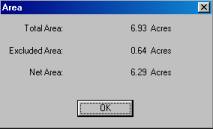
Shown is Acreage Calculation |
|||
|
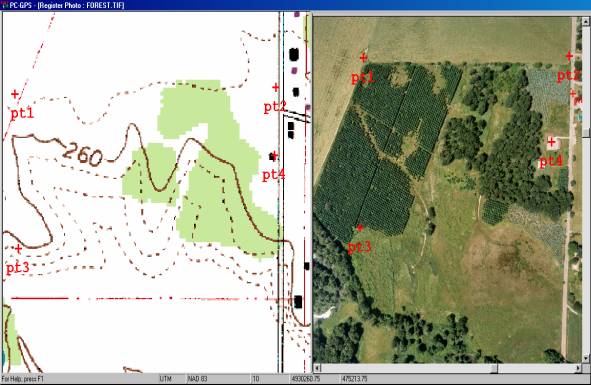
Shown is Aerial Photo Registration |
|||
|
|
|
||
|
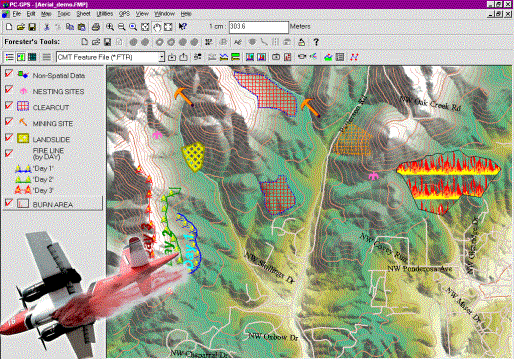
The Airborne
Inspection Module (AI) for PC-Mapper was initiated by the Ministry of Natural Resources in Quebec, Canada. This
software serves as an effective aerial inspection tool regardless of
the speed or orientation of your aircraft. |
|
||



|
PC-GPS 3.8 and PC-MAP/GIS 3.8
Highlights |
|||||||||||||||||||
|
BASEMAPS |
|
|
|
|
|
||||||||||||||
|
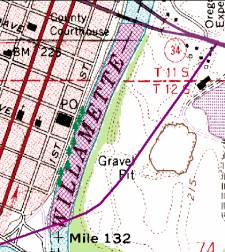
High quality labeled BaseMaps are automatically
loaded with your differentially corrected job in the Map View. They contain useful vector data such as: |
|||||||||||||||||||
|
· Roads · Railroads ·
Landmarks |
· Hydrology · Transportation ·
Key Geographic Locations |
· City
Limits ·
County subdivisions ·
Indian/ Alaska Native Area |
|
|
|||||||||||||||
|
|
|
|
|
|
|
||||||||||||||
|
|
|
|
|
|
|
||||||||||||||
|
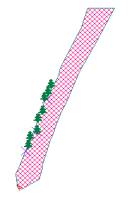
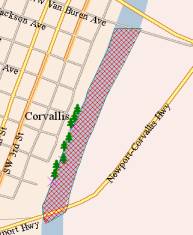
BUFFERING: POINTS, LINES AND AREA BUFFERS |
|||||||||||||||||||
|
·
Timber:
Determining no-cut zones along rivers (riparian areas) ·
Pipeline/DOT:
Specifying road buffers for right-of-way ·
Parks: Park and
recreation layout (green belt and creek buffers) ·
City/County: Housing
development layout (quiet zones) · Municipal: Specifying river flood planes ·
Agriculture: Chemical application and crop planning |
|
|
|
||||||||||||||||
|
|
|
|
|
|
|
||||||||||||||
|
|
|
|
|
|
|
||||||||||||||
|
EXPANDED
SYMBOL / PATTERN LIBRARY |
|||||||||||||||||||
|
Thousands of new point symbols, line and area patterns
have been added to the symbol library in PC-GPS. |
|||||||||||||||||||
|
Public |
Forestry |
Conservation |
Environment |
Survey |
Transportation |
||||||||||||||
|
|
|
|
|
|
|
||||||||||||||
|
Forestry Module (FM) for Farms [Lot/Crop
vs. Tract/Stand for Foresters] is built into
PC-GPS 3.8FM, PC-GPS
3.8 MS (GPS/GIS software) and the low cost PC-MAP/GIS
3.8 (GIS software). Professionals who use GPS (collect raw data and perform differential
correction, etc.) need PC-GPS 3.8 (GPS/GIS software).
However, many state employees, sub-contractors or customers who do not use
professional GPS do not need the advanced GPS processing of the PC-GPS 3.8. PC-GIS 3.8 PRO can
do all of the GIS and FM functions and share data files with PC-GPS
3.8 software transparently. There is also a super low-cost lightweight
version of the GIS software called PC-GIS
3.2, which can be used to view your design and work. |
|||||||||||||||||||
|
|
|
|
|
|
|
||||||||||||||
|
**All
trademarks are the property of their respective owners. |
|
|
|
|
|||||||||||||||